hyprsimple
Minimal Hyprland dotfiles for Arch Linux. Clean, functional, no bloat.
[!Note]
This dotfile have builtin muslimtify. A prayer time notification daemon for Linux. Run muslimtify-remove to uninstall it (package, daemon, waybar module, and CSS). Run muslimtify-add to re-enable it later. Both commands are idempotent and back up your waybar config to .bak before editing.
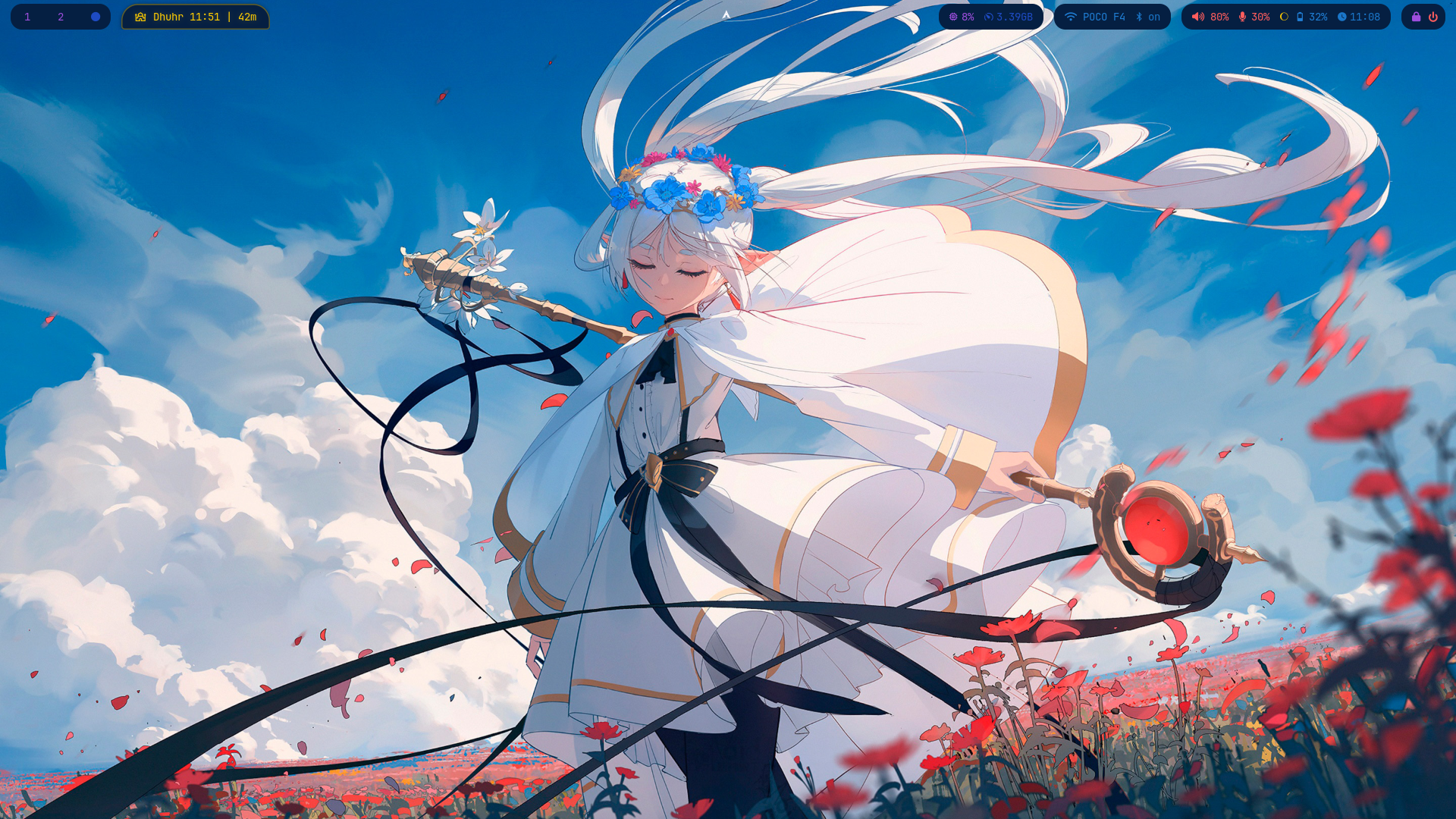
| Power Menu |
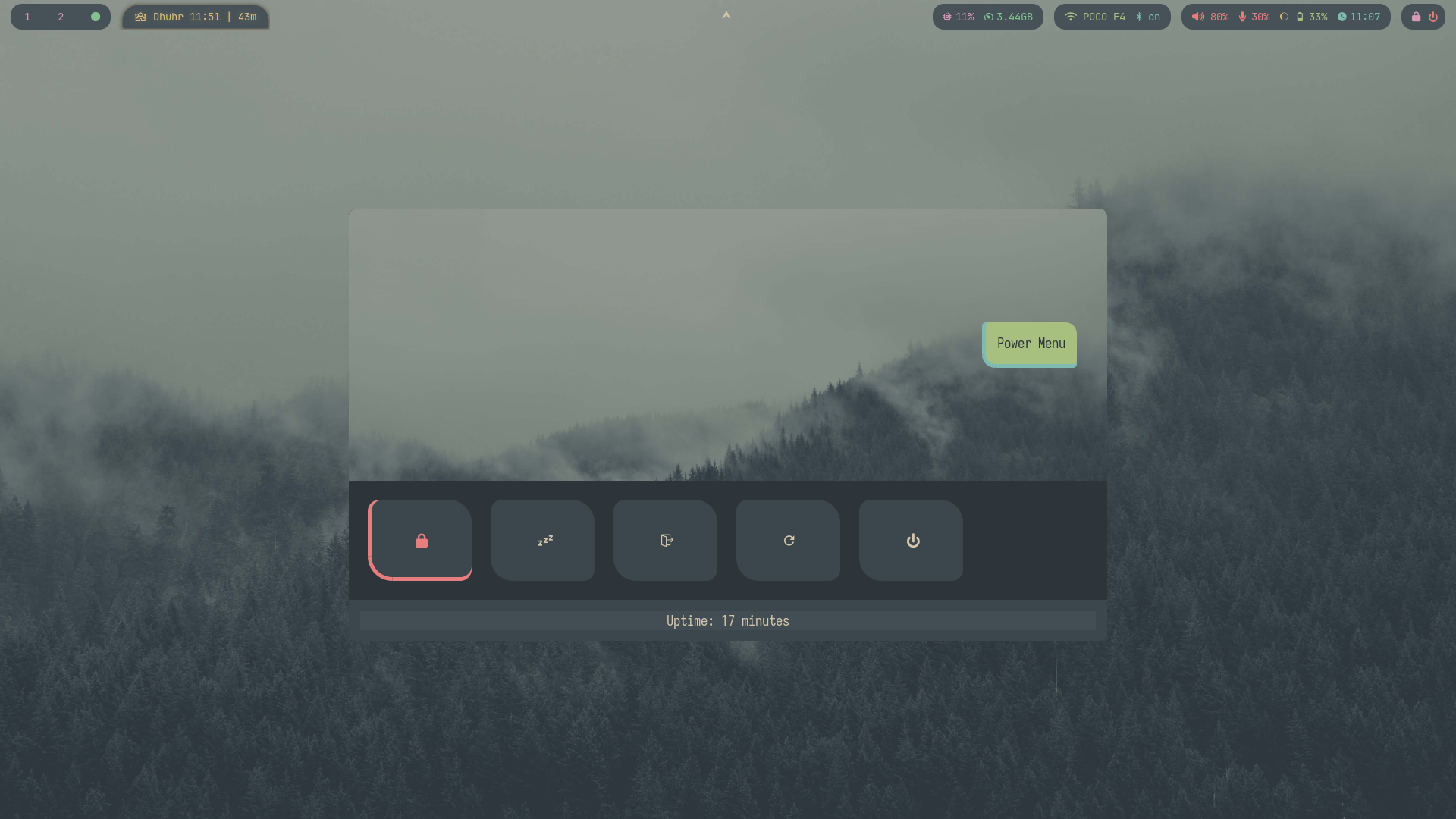
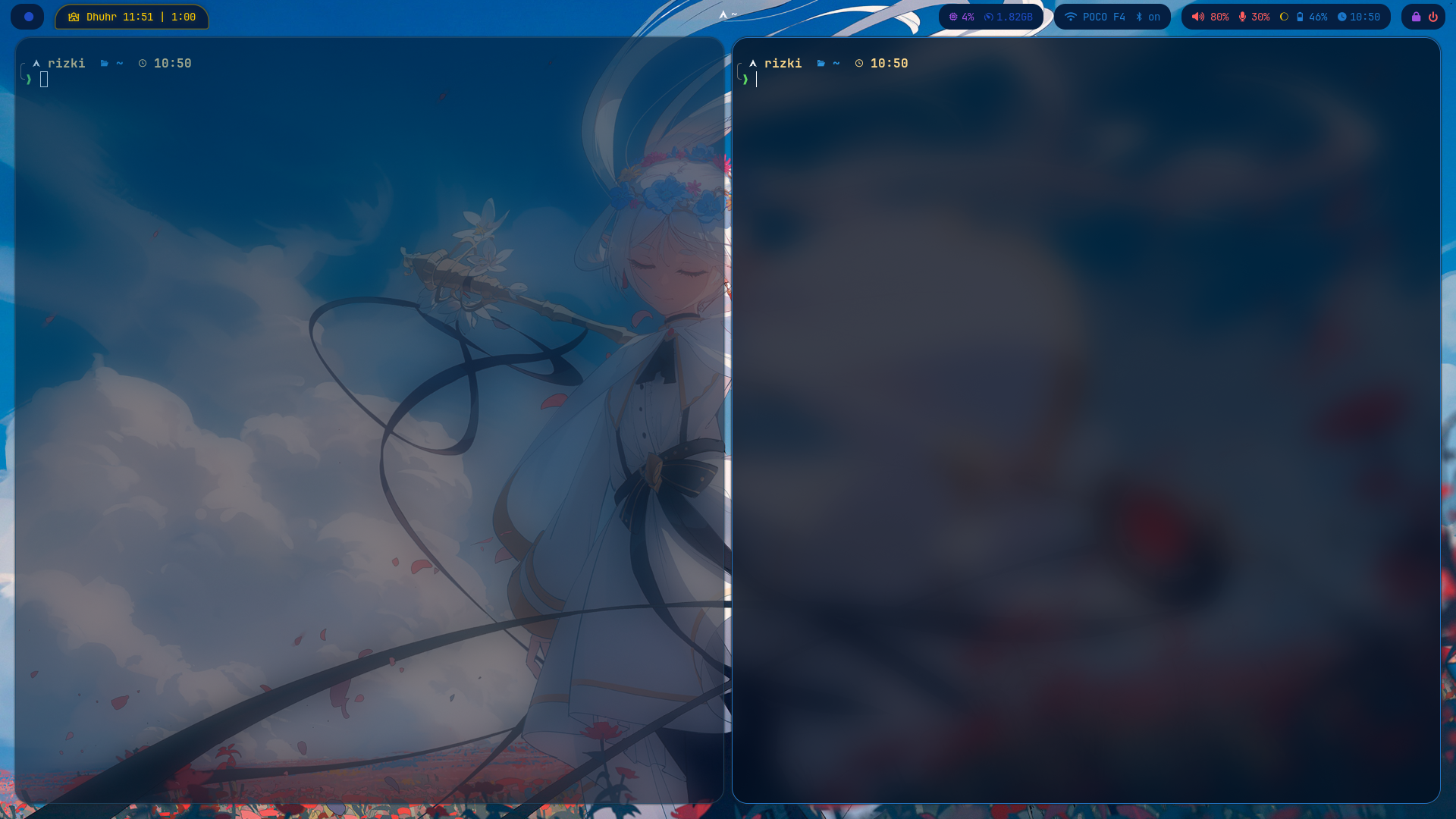
Terminal |
 |
 |
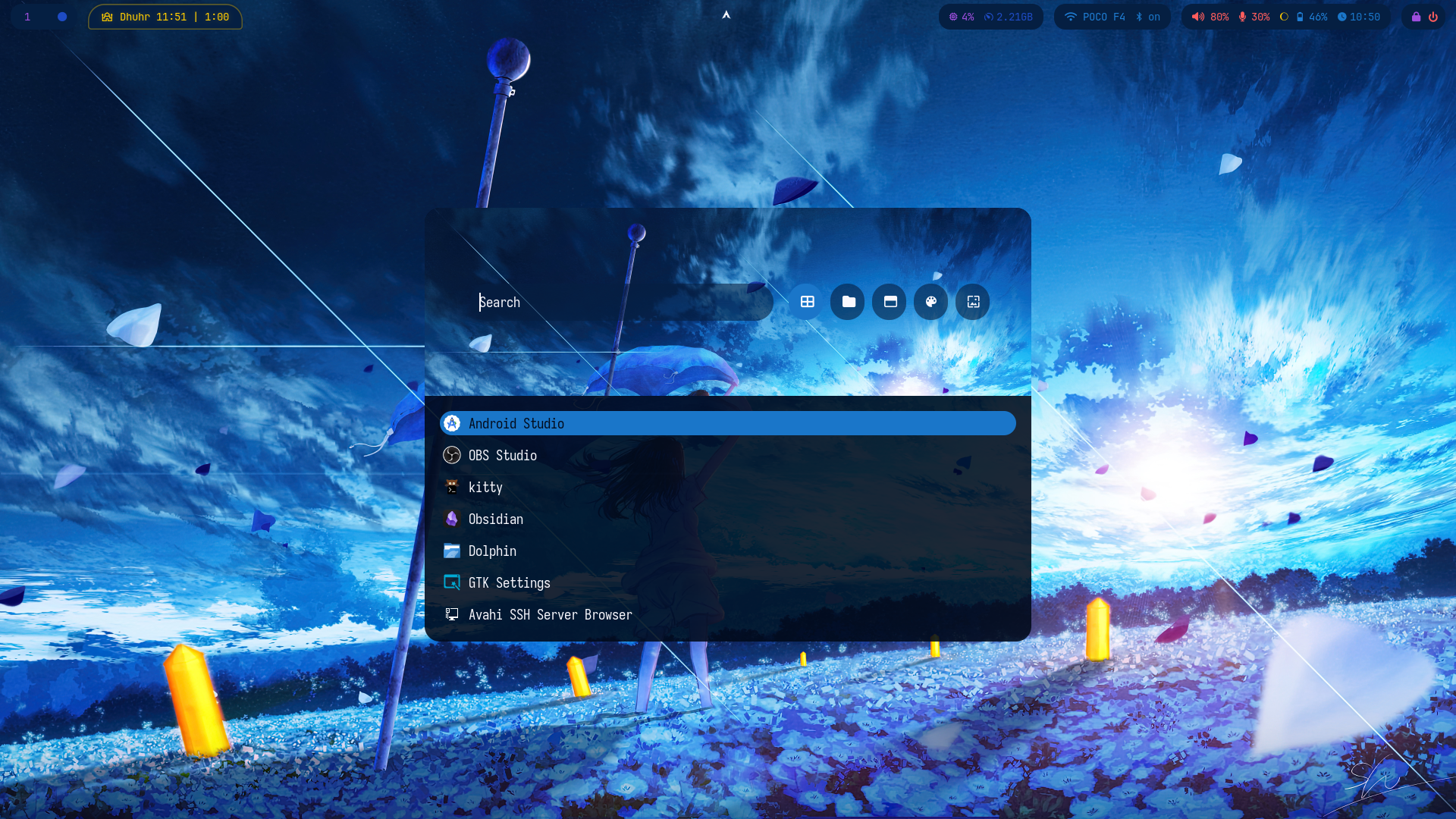
| Menu Launcher |
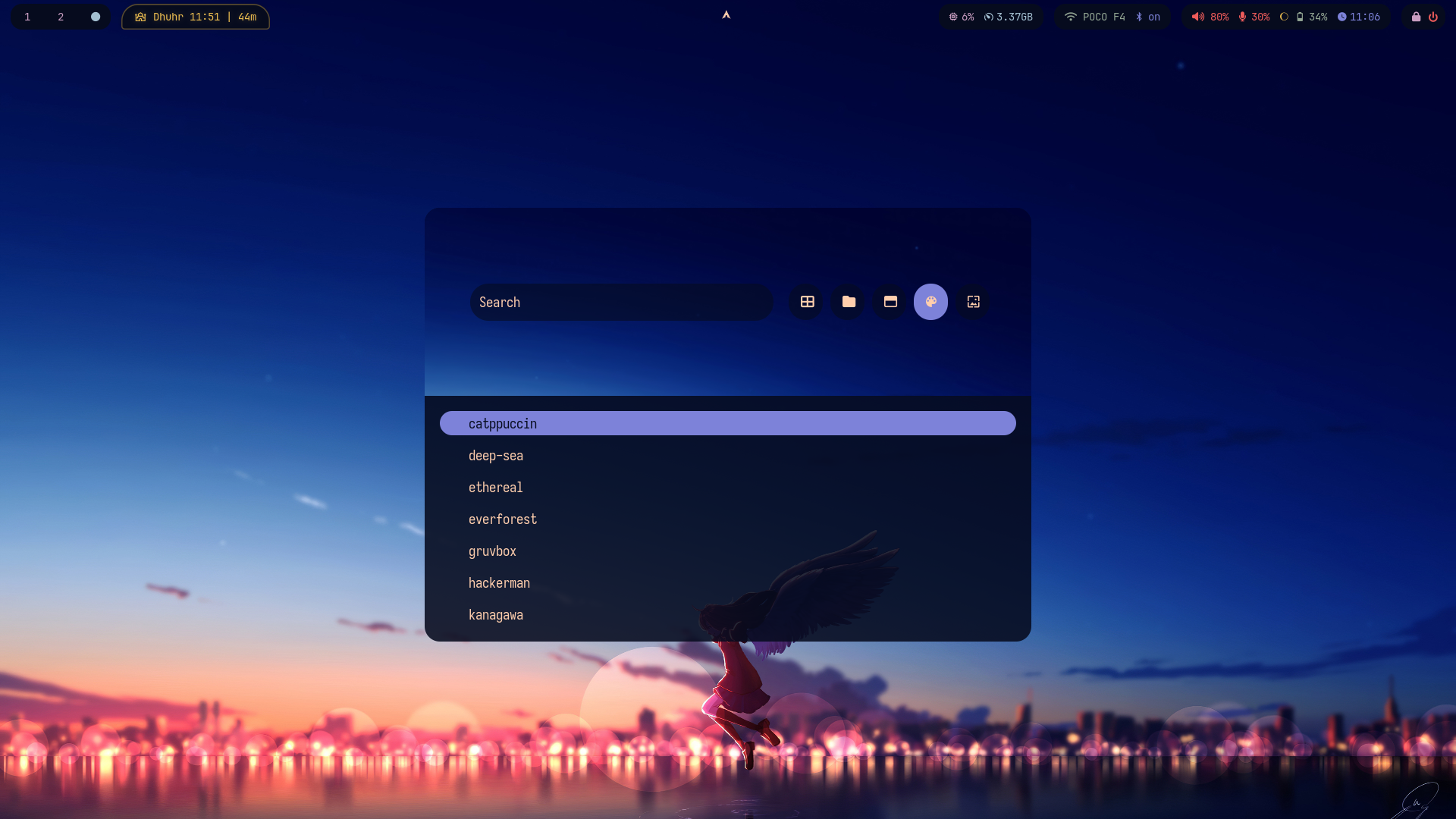
Theme Switcher |
 |
 |
Features
- 17 themes with one-key switching, all apps update at once (waybar, rofi, ghostty, hyprlock, dunst, btop)
- Per-theme wallpapers with picker and cycle support
- Per-theme backgrounds for app launcher and power menu
- Hardware auto-detection at install (NVIDIA, Vulkan, Intel iGPU, WiFi, battery)
- Wayland-native session via uwsm, no X11 dependencies
- Modular Hyprland config split into focused files
- GTK/QT theming with auto light/dark mode per theme
- Smart battery with auto brightness and power profiles
- Screen recording with mic, system audio, or silent modes
- Screenshot for monitor, window, region, or clipboard
- Clipboard history via cliphist + rofi
- Nightlight toggle for warm screen temperature
- Audio output switching with one key
- Prayer times on waybar via muslimtify
- Firewall (UFW) configured out of the box
Install
git clone https://github.com/rizukirr/hyprsimple.git
cd hyprsimple
./install.sh
[!WARNING]
These dotfiles have only been tested on a fresh Arch Linux install where Hyprland was selected
as the desktop during installation. Coming from another desktop environment or compositor
(KDE, GNOME, etc.) is untested and may require manual cleanup.
If you run into a problem installing hyprsimple, please open an issue — thank you!
Network
To see the available network interfaces, run wifi. To connect to a network, run wifi <network name> for example wifi "MY NETWORK"
Keybindings
Press SUPER + / for interactive viewer with fuzzy search.
Applications
| Key |
Action |
SUPER + T |
Open terminal (Ghostty) |
SUPER + B |
Open browser (Brave) |
SUPER + A |
App launcher (Rofi) |
SUPER + F |
File manager (Nautilus) |
SUPER + O |
Notes (Obsidian) |
SUPER + S |
Android Studio |
SUPER + E |
Emoji picker |
SUPER + V |
Clipboard history |
SUPER + M |
Color picker |
Window Management
| Key |
Action |
SUPER + Q |
Kill active window |
SUPER + W |
Toggle floating |
SUPER + SHIFT + J |
Toggle split (dwindle) |
SUPER + H / J / K / L |
Move focus left / down / up / right |
SUPER + SHIFT + Arrow |
Resize window |
SUPER + LMB drag |
Move window |
SUPER + RMB drag |
Resize window |
Workspaces
| Key |
Action |
SUPER + [1-9, 0] |
Switch to workspace 1-10 |
SUPER + SHIFT + [1-9, 0] |
Move window to workspace 1-10 |
SUPER + SHIFT + S |
Move window to scratchpad |
SUPER + Scroll |
Cycle through workspaces |
Theming & Wallpaper
| Key |
Action |
SUPER + SHIFT + T |
Switch theme |
SUPER + SHIFT + W |
Pick wallpaper from current theme |
SUPER + ALT + W |
Cycle to next wallpaper |
Screenshot
| Key |
Action |
Print |
Screenshot current monitor |
SUPER + Print |
Screenshot active window |
SUPER + ALT + Print |
Screenshot selected region |
SUPER + CTRL + Print |
Screenshot region to clipboard |
Screen Recording
| Key |
Action |
SUPER + R |
Record region with mic audio |
SUPER + SHIFT + R |
Record fullscreen with mic audio |
SUPER + ALT + R |
Record region with system audio |
SUPER + SHIFT + ALT + R |
Record fullscreen with system audio |
SUPER + CTRL + R |
Record region without audio |
SUPER + CTRL + SHIFT + R |
Record fullscreen without audio |
Media & Brightness
| Key |
Action |
Volume Up / Down |
Adjust volume |
Mute |
Toggle mute |
Mic Mute |
Toggle microphone mute |
Play / Pause |
Media play/pause |
Next / Prev |
Media next/previous track |
Brightness Up / Down |
Adjust screen brightness |
Kbd Brightness Up / Down |
Adjust keyboard backlight |
System
| Key |
Action |
SUPER + ESC |
Power menu |
SUPER + SHIFT + L |
Lock screen |
SUPER + X |
Exit Hyprland |
CTRL + ESC |
Toggle waybar |
SUPER + N |
Toggle nightlight |
SUPER + D |
Dismiss notifications |
SUPER + SHIFT + I |
Toggle idle lock |
SUPER + F10 |
Switch audio output |
SUPER + SHIFT + M |
Toggle monitor mirroring |
SUPER + CTRL + V |
Toggle virtual mirror |
SUPER + / |
Show all keybindings |
Scripts
Helper scripts live in .local/bin (installed to ~/.local/bin, which is on PATH).
Most are wired to keybindings or waybar; all can also be run directly from a terminal.
Audio
| Script |
Description |
audio-switch.sh |
Cycle through available audio output devices |
volume-notify.sh |
Show the current PipeWire volume via a dunst notification |
record-audio.sh |
Record audio from the default input to ~/Music |
Display, Theme & Wallpaper
| Script |
Description |
brightness-notify.sh |
Show the current screen brightness via a dunst notification |
keyboard-brightness.sh |
Control the keyboard backlight (up / down / cycle) |
toggle-nightlight.sh |
Toggle a warm screen temperature via hyprsunset |
theme-switcher.sh |
Switch theme via rofi picker, or apply one directly by name |
theme-apply-templates.sh |
Generate themed app configs from a theme's colors.toml |
wallpaper-switcher.sh |
Switch or cycle wallpaper within the current theme |
live-wallpaper-toggle.sh |
Toggle live wallpaper (cycle backgrounds vs. static) |
monitor-mirror-toggle.sh |
Toggle extend vs. mirror mode for an external monitor |
virtual-mirror-toggle.sh |
Mirror a monitor into a window (via wl-mirror) for screen sharing |
Screenshot & Recording
| Script |
Description |
screenshot.sh |
Take a screenshot (clipboard / window / region / monitor) |
screen-record.sh |
Start/stop screen recording (region or output; mic, internal, or no audio) |
screen-record-active.sh |
Report whether a screen recording is currently running |
Network
| Script |
Description |
wifi.sh |
List and connect to WiFi networks |
wifi-powersave.sh |
Toggle WiFi power saving (on / off) |
hotspot.sh |
Create a WiFi hotspot with internet sharing |
setup-dns.sh |
Configure the DNS provider (Cloudflare / Google / DHCP) |
System & Power
| Script |
Description |
battery-monitor.sh |
Low-battery notifications and automatic brightness reduction |
bluetooth-toggle.sh |
Toggle Bluetooth adapter power |
toggle_cpu_mode.sh |
Switch CPU governor between performance and powersave |
toggle-idle.sh |
Toggle hypridle (lock-on-idle) on/off |
hypr-logout.sh |
Gracefully close all windows and stop the Hyprland session |
Input & Notifications
| Script |
Description |
capslock-notify.sh |
Notify on Caps Lock state changes |
notification-dismiss.sh |
Dismiss all dunst notifications |
Search & Keybindings
| Script |
Description |
search.sh |
Fuzzy file finder (ripgrep + fzf) that opens the result in nvim |
search_by_keyword.sh |
Fuzzy content search (ripgrep + fzf) that opens the match in nvim |
show-keybindings.sh |
Show all Hyprland keybindings in a rofi fuzzy-search menu |
Integrations
| Script |
Description |
hyprsimple-muslimtify.sh |
Add or remove the muslimtify prayer-times integration |
waybar-muslimtify.sh |
Provide the waybar module output (next prayer + tooltip) for muslimtify |
Shell init & internal helpers
These are sourced by other files rather than run directly.
| Script |
Description |
bashrc.sh / zsh.sh / fish.fish |
Per-shell init (zoxide, fzf, starship, aliases) sourced from your shell's rc file |
terminal.sh |
Detect your login shell and wire the matching init script into its rc file |
hypr-helpers.sh |
Shared hyprpaper helper functions used by the wallpaper scripts |
FAQ
Troubleshooting and known issues (NVIDIA boot hang, Plymouth blank-screen splash, and
more) are documented in FAQ.md.
License
MIT
